Documentation for Agento
Introduction
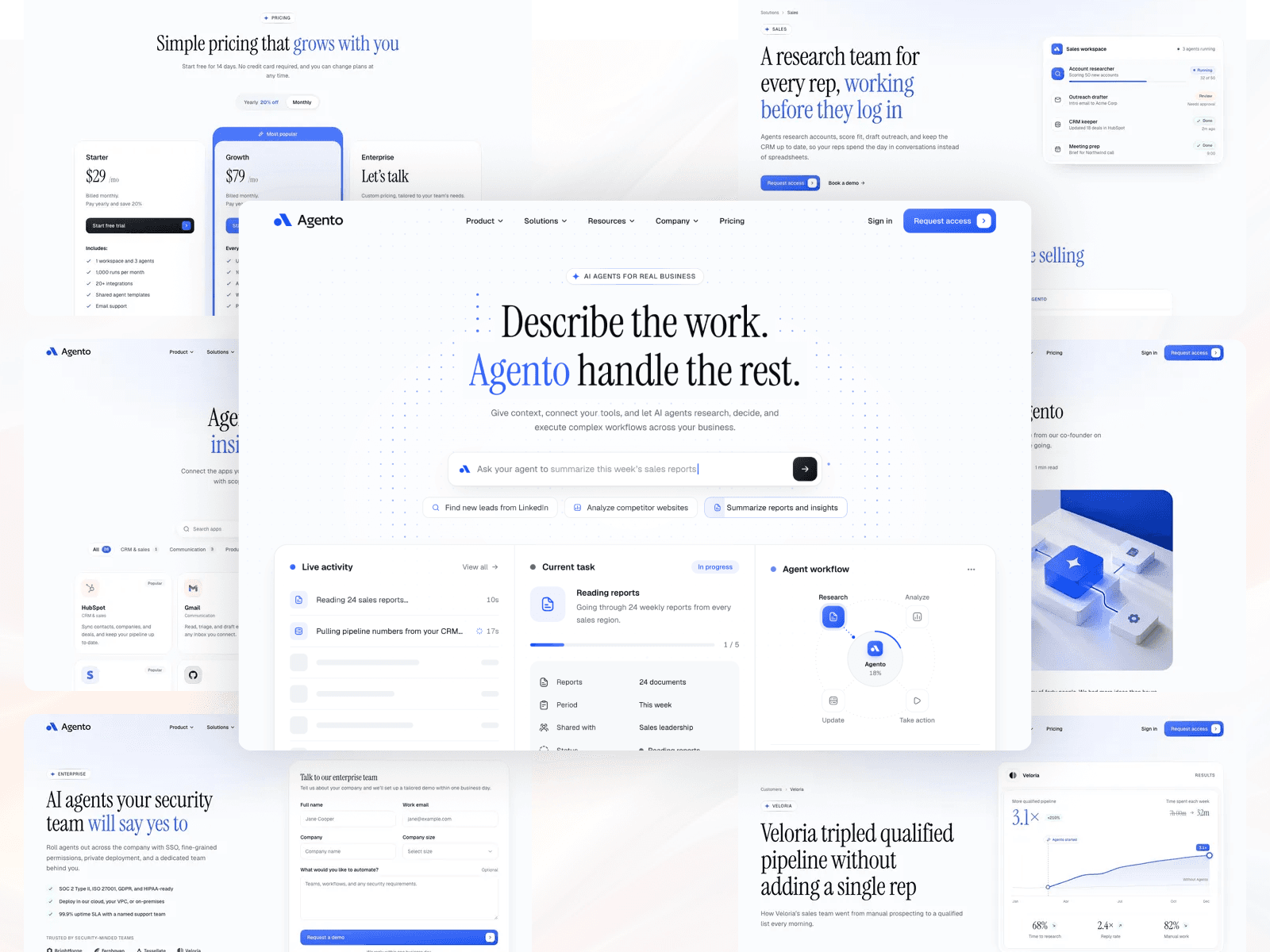
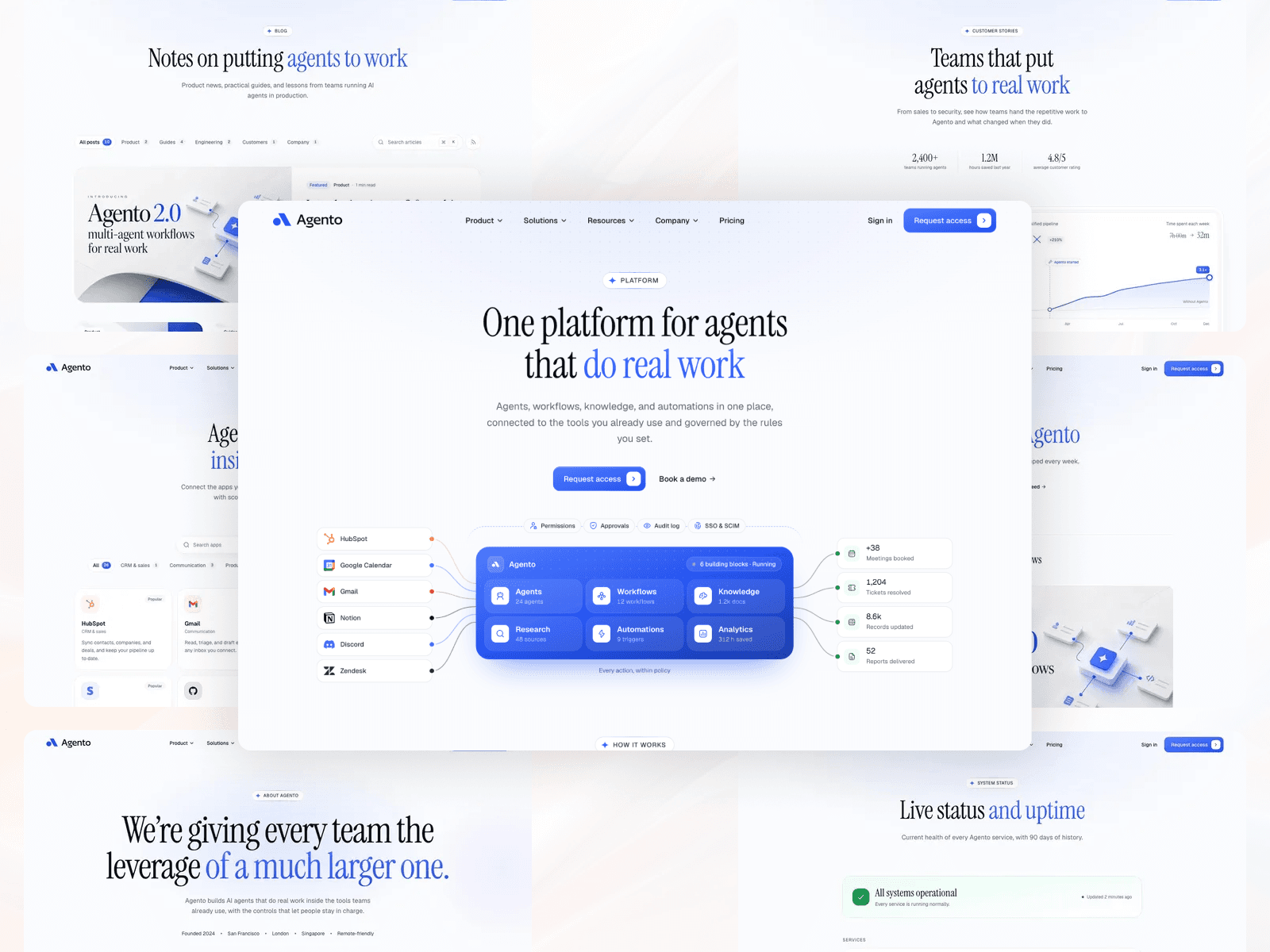
Agento is a complete marketing website for AI agent, automation and SaaS products, built with Astro v7, TailwindCSS v4 and a few React 19 islands. It includes three home pages, product and solution pages, pricing, a blog, docs, a help center, customer stories, company pages and account screens, more than 200 pages in total.
Every word, link and image on the site lives in plain content files, so you can rebrand Agento and fill it with your own text without touching any code.
File Structure
The theme files are structured as follows:
 ./theme-files
│
├── src
│  │
│  ├── assets
│  │
│  ├── components
│  │
│  ├── config
│  │
│  ├── content
│  │
│  ├── layouts
│  │
│  ├── lib
│  │
│  ├── pages
│  │
│  ├── scripts
│  │
│  ├── styles
│  │
│  ├── types
│  │
│  └── content.config.ts
│
├── .gitignore
│
├── AGENTS.md
│
├── README.md
│
├── astro.config.mjs
│
├── package.json
│
└── tsconfig.json
src/configholds site-wide settings: your site name, SEO defaults, the menu and the footer.src/contentholds all the text on the site, one folder per page.src/assetsholds images, the logo, the favicon and the social share image.AGENTS.mdis a guide for developers and AI coding assistants (Claude, Cursor, Copilot) that explains how the theme is built, so they can customize it the right way.
Quick Start & Installation
Getting Agento running on your computer takes about two minutes.
System Requirements
- Node.js -
v22.12.0or higher installed on your computer (Download Node.js). - Code Editor - We recommend VS Code with the Official Astro Extension.
- Terminal - Mac Terminal, Command Prompt, or the VS Code integrated terminal.
Step 1: Install Dependencies
Unzip your downloaded theme, open your terminal, go into the theme-files folder, and run:
npm install
Step 2: Start Local Preview
Start the local development server:
npm run dev
Open http://localhost:4321 in your browser. You'll see Agento running live, and the page refreshes by itself every time you save a file.
Other Commands
npm run build     # build the production site into dist/

npm run preview   # preview the production build locally

npm run check     # check your content and code for mistakes
How Agento Is Organized
Agento keeps design and content apart:
- Pages live in
src/pages/. Each page is a short file that lists its sections in order (for example,src/pages/pricing.astrois the/pricingpage). - Sections live in
src/components/sections/. These are the building blocks: heroes, feature rows, pricing tables, FAQs and so on. - Content lives in
src/content/. Every page has its own folder named after its web address, with anindex.mdxfile holding all of that page's text. For example,src/content/pricing/index.mdxholds the text for/pricing, andsrc/content/home/index.mdxholds the text for the homepage.
Every content file is checked when the site builds. If you misspell a field or leave one out, the build stops and tells you exactly which file and field to fix, so you never publish a broken page.
All Included Pages
| Area | Pages |
|---|---|
| Home | /, /home-2, /home-3 |
| Product | /product, /product/agents (and 5 more features), /pricing, /integrations, /security, /enterprise, /changelog, /api, /templates |
| Solutions | /solutions, /solutions/sales (and 8 more teams), /use-cases |
| Resources | /resources, /blog, /customers, /docs, /help, /status |
| Company | /about, /careers, /contact, /partners, /affiliates, /legal, /sitemap |
| Account | /sign-in, /sign-up, /forgot-password, /reset-password, /verify-email, /onboarding, /request-access, /waitlist |
| Utility | /404, /500, /thank-you, /coming-soon, /maintenance, /elements |
The /elements page shows every section on one page, which is handy when you want to see what's available.
Choosing Your Homepage Style
Agento comes with three complete homepage designs:
- Home 01 (
src/pages/index.astro): The product homepage, with an interactive hero where a typed prompt and three dashboard panels play a live agent run. - Home 02 (
src/pages/home-2.astro): A developer-first homepage with a code hero, API features, docs links and recent changelog entries. - Home 03 (
src/pages/home-3.astro): A one-screen pre-launch page with a waitlist form, early-user avatars, a product preview and a live countdown.
How to Use Home 02 or Home 03 as Your Homepage
By default, Home 01 is your homepage (/), and the others are at /home-2 and /home-3.
Option A: Copy & Paste (Recommended)
- Open
src/pages/home-2.astro(orhome-3.astro) and copy all of the code inside. - Open
src/pages/index.astro, select everything, and paste the copied code. - Save the file. Your homepage at
http://localhost:4321/now shows the new design.
Option B: Swap the File Names
- Rename
src/pages/index.astrotosrc/pages/home-1.astro. - Rename
src/pages/home-2.astrotosrc/pages/index.astro.
You can safely delete the homepage files you don't use. If you do, also remove their links from the menu (see "Navigation & Menus" below).
Global Site Settings
Global settings are managed in src/config/site.json.
{
  "name": "Agento",
  "title": "Agento — AI agents for real business",
  "description": "Give context, connect your tools, and let AI agents research, decide, and execute complex workflows across your business.",
  "ogImage": "og.png",
  "sameAs": [],
  "cookies": null,
  "signIn": { "label": "Sign in", "href": "/sign-in" },
  "cta": { "label": "Request access", "href": "/request-access" },
  "forms": { "requestAccess": "", "contact": "" },
  "rss": { "href": "/blog/rss.xml", "title": "Agento Blog", "description": "..." },
  "changelogRss": { "href": "/changelog/rss.xml", "title": "Agento Changelog", "description": "..." },
  "promo": {
    "id": "agents-2-0",
    "badge": "New",
    "text": "Agento 2.0 is here — multi-agent workflows and 40+ new integrations.",
    "shortText": "Agento 2.0 — multi-agent & new integrations.",
    "link": { "label": "See what’s new", "href": "/changelog" }
  }
}
Field Breakdown:
name: Your product name. It appears after every page title in the browser tab (for example "Pricing · Agento").title&description: The default title and summary that search engines and social media previews show for your homepage.ogImage: The image shown when someone shares your site on social media. It's a file insidesrc/assets/(see "Changing Logos, Favicon & Media").sameAs: Your social profile links (for example["https://x.com/yourbrand"]). Search engines use these to connect your site to your brand.cookies: Set this to show a cookie notice. It'snull(off) by default, because the theme sets no cookies.signIn&cta: The two buttons on the right of the header. Set either tonullto hide it.forms: Where your forms send their submissions (see "Forms & Submissions").rss&changelogRss: The titles of your blog and changelog feeds. Set either tonullto turn it off.promo: The announcement bar above the header. Visitors can dismiss it, and it stays hidden for them. Change theidwhen you publish a new announcement, so everyone sees it again. Setpromotonullto remove the bar.
Your Domain
Set your live web address once, as site in astro.config.mjs:
export default defineConfig({
  site: 'https://yourdomain.com',
  // ...
});
Your sitemap, RSS feeds, social previews and search-engine links all use it.
Navigation & Menus
The header menu is managed in src/config/menu.json. Each item can be a plain link or open a mega menu:
[
  {
    "label": "Product",
    "href": "/product",
    "menu": {
      "label": "Platform",
      "links": [
        {
          "icon": "sparkles",
          "label": "Platform overview",
          "href": "/product",
          "description": "Everything Agento does, in one place."
        }
      ]
    }
  },
  { "label": "Pricing", "href": "/pricing" }
]
- Plain link: an item with only
labelandhref(like Pricing). - Mega menu: add a
menuwith a smalllabeland a list oflinks. Each link can have aniconand a one-linedescription. Keep an even number of links, because they're shown in two columns. - Side panel and footer strip: a mega menu can also have an
aside(a promo card and quick links) and afooter(a short note with a link). Copy an existing menu item to see the full shape. - Icons: use any icon name listed in
src/lib/icons.ts, such asbot,workflow,chartorshield.
The menu works on phones too: it opens as a full-screen sheet with the same links.
Footer & Social Media Links
The footer is managed in src/config/footer.json:
{
  "statement": "Hand off the busywork. Keep the work that matters.",
  "tagline": "AI agents that research, decide, and act across your business.",
  "columns": [
    {
      "title": "Product",
      "links": [
        { "label": "Platform", "href": "/product" },
        { "label": "Pricing", "href": "/pricing" }
      ]
    }
  ],
  "newsletter": {
    "title": "Stay in the loop",
    "text": "Product updates and practical agent playbooks, twice a month.",
    "placeholder": "[email protected]",
    "button": "Subscribe",
    "action": "#"
  },
  "socials": [
    { "icon": "x", "label": "Agento on X", "href": "https://x.com" },
    { "icon": "linkedin", "label": "Agento on LinkedIn", "href": "https://www.linkedin.com" },
    { "icon": "github", "label": "Agento on GitHub", "href": "https://github.com" },
    { "icon": "youtube", "label": "Agento on YouTube", "href": "https://www.youtube.com" }
  ],
  "status": { "label": "All systems operational", "href": "/status" },
  "copyright": "© 2026 Agento, Inc. All rights reserved.",
  "wordmark": null
}
columns: Add, remove or rename link columns.newsletter: The signup box. Setactionto your newsletter provider's form address (see "Forms & Submissions"), or setnewslettertonullto hide it.socials: Your social profiles. Replace eachhrefwith your own profile link. Available icons:x,linkedin,github,youtube.status: The small status badge. Set it tonullto hide it.wordmark: Set it to your product name (for example"Agento") to show a large wordmark along the bottom of the footer.
Updating Website Content
All of Agento's text is in src/content/. Each page's text sits at the top of its index.mdx file, between two --- lines, grouped by section.
Homepage Content
The homepage text is in src/content/home/index.mdx. Each section has its own block, in page order:
---
hero:
  section_label: AI agents for real business
  titleLine1: Describe the work.
  titleHighlight: Agento
  titleLine2: handle the rest.
  subtitle: Give context, connect your tools, and let AI agents research, decide, and execute complex workflows across your business.
---
titleHighlightis the phrase shown in your brand colour.- The same file holds the hero demo too: the prompts it types (
scenarios), the live activity steps, the current task and the workflow orbit. Edit those to show your own product's work. - The other blocks in the file (
howItWorks,useCases,metrics,caseStudies,security) are the sections further down the homepage.
Content Used on Several Pages
Some text appears on more than one page, so it's kept once in src/content/shared/:
faq.mdx: the homepage FAQ and the "Still have questions?" box.cta.mdxandcta-banner.mdx: the closing banners.clients.mdx: the customer logo strip.pricing.mdx: your plans and prices (used on the homepage and on/pricing).integrations.mdx: the apps shown around the site.platform.mdx: the product feature rows and their product visuals.auth.mdx: the text on the sign in, sign up and password pages.
When a page has its own FAQ (for example /contact or /pricing), its own questions are in that page's index.mdx, and the "Still have questions?" box comes from the shared file.
Writing Blog Posts
Every article is its own .mdx file inside src/content/blog/ (for example my-first-post.mdx). The file name becomes the web address (/blog/my-first-post).
---
title: "Why we built Agento"
description: "The leverage of a large team, for every team."
date: 2026-05-20
author: james-whitaker
cover: ../../assets/blog/why-we-built-agento.jpg
category: company
tags: ["company"]
featured: false
draft: false
---

Write your article here using standard Markdown.

## A section heading

Headings starting with ## appear in the article's table of contents.
Important Post Settings:
author: The file name of an author insrc/content/authors/(for examplejames-whitakerforjames-whitaker.json). Each author has a name, role, photo, short bio and social links, and gets their own page at/blog/author/<name>.category: One of the categories listed insrc/content/blog/index.mdx. Each category gets its own page at/blog/category/<category>.tags: Free-form labels. Each tag gets its own page at/blog/tag/<tag>.cover: Optional. Put your image insrc/assets/blog/and point to it. Without a cover, Agento draws a branded cover from the category's icon.featured: true: Shows the post as the large featured post at the top of/blog.draft: true: Hides the post from your live site, while still showing it on your computer.- Reading time, table of contents, share buttons and related posts are added automatically.
All blog labels (headings, button text, the "min read" text) and the category list are in src/content/blog/index.mdx.
Article Components:
You can use these inside any blog post, without importing anything:
<Callout title="Good to know" tone="tip">
  Callouts highlight a note, a tip or a warning. Use tone="note", "tip" or "warning".
</Callout>

<Figure src="blog/my-image.jpg" alt="Describe the image" caption="An optional caption" />

<Stats items={[{ value: '3.1×', label: 'More qualified pipeline' }, { value: '12h', label: 'Saved every week' }]} />
For <Figure>, the src is a path inside src/assets/. Markdown tables, code blocks, lists and quotes are styled for you.
Customer Stories
Each customer story is a file in src/content/customers/. Its frontmatter fills the story cards and the homepage case study, and the text below it is the full story page at /customers/<name>. Each story has a company logo, a quote with its author, a before-and-after time comparison, a twelve-month results chart, and up to four headline results. Copy an existing story to start a new one.
Product Feature Pages
Each feature page (/product/agents, /product/workflows and so on) is a file in src/content/product/. It sets the feature's name, icon, hero text, three benefits, a list of capabilities, and which product visual appears in its hero (scene: agent, workflow, analytics, knowledge, research or automation).
Solutions & Use Cases
- Solutions by team or company size (
/solutions/salesand so on) are files insrc/content/solutions/. Each has a hero, a workspace preview with agents at work, benefits, ready-made agents, a step-by-step workflow, three stats and its own FAQ. - Use cases (
/use-cases/...) are files insrc/content/use-cases/. - The Templates gallery (
/templates) is built automatically from the ready-made agents in your solution pages, so you don't edit it separately.
Integrations
Each app in the integrations directory is a file in src/content/integrations/, with its name, logo, category, a short summary, what agents can do with it, and the permissions it needs. App logos live in src/assets/integrations/.
Docs & Help Center
- Docs pages (
/docs) are files insrc/content/docs/. The sidebar sections and their order are set insrc/content/docs/index.mdx. Docs pages can show the same code in several languages, as tabs:
<CodeTabs
  tabs={[
    { label: 'cURL', lang: 'bash', code: 'curl https://api.example.com/v1/agents' },
    { label: 'JavaScript', lang: 'js', code: "await fetch('https://api.example.com/v1/agents');" },
  ]}
/>
- Help center articles (
/help) are files insrc/content/help/. Their categories are set insrc/content/help/index.mdx, andpopular: truelists an article under "Popular articles".
Careers
Each open role is a file in src/content/careers/:
---
title: "Account Executive, Mid-market"
team: "Sales"
location: "New York"
type: "Full-time"
salary: "$140k – $160k base, $280k OTE"
summary: "Help mid-market teams put their first agents to work and expand from there."
posted: 2026-09-18
order: 1
---

Describe the role here.
Roles are grouped by team on /careers, with filters for team and location. Add applyUrl: "https://..." to send applicants to your hiring tool. Without it, the role page shows a built-in application form.
Changelog
Each release is a file in src/content/changelog/, with a version, date, title and one or more tags (new, improved or fixed). Releases appear newest first on /changelog, grouped by month, and in the changelog RSS feed.
Countdown Pages
The Home 03, Coming soon and Waitlist pages show a live countdown. Set the launch time in src/content/home-3/index.mdx (or src/content/coming-soon/index.mdx):
launch: '2027-09-01T16:00:00Z'
The format is YYYY-MM-DDTHH:mm:ssZ, in UTC. For example, '2026-12-31T23:59:59Z' counts down to the last second of 2026. Keep the quotes around the date.
Legal Pages
Your Terms, Privacy, Cookies, Acceptable use, DPA and SLA pages are files in src/content/legal/. Replace the sample text with your own policies. They're listed automatically on /legal.
About, Pricing, Contact & Other Pages
Every other page works the same way: open src/content/<page>/index.mdx and edit the text. For example:
- About: your story, timeline, values and team (team photos go in
src/assets/team/). - Pricing: the comparison table, usage meters, add-ons and pricing FAQ. Your plans and prices themselves are in
src/content/shared/pricing.mdx. - Contact: contact options, the form's topics, and your offices.
- Status: your services and their uptime.
Search
The blog, docs and help center each have a built-in search box. Press Cmd + K (or Ctrl + K on Windows and Linux), or click the search button. It searches titles, summaries and categories instantly. There's no search service to set up: new posts and articles are included automatically when the site builds.
RSS Feeds
Agento creates two feeds automatically:
- Blog feed at
/blog/rss.xml. - Changelog feed at
/changelog/rss.xml.
Their titles and descriptions come from rss and changelogRss in src/config/site.json.
Forms & Submissions
All forms check what visitors type and show a success message. Out of the box they run in demo mode, so nothing is sent anywhere.
To receive submissions, add your form endpoint in src/config/site.json:
"forms": {
  "requestAccess": "https://formspree.io/f/your-form-id",
  "contact": "https://formspree.io/f/your-other-form-id"
}
- Create a free form on Formspree (or Web3Forms, or your own API).
- Copy the form's endpoint address.
- Paste it into
forms.requestAccess(the request access and waitlist forms) andforms.contact(the contact form).
For the footer newsletter, set newsletter.action in src/config/footer.json to the form address from your newsletter provider (for example ConvertKit or Mailchimp).
Changing Colors
Agento's colours are set in one place, the @theme block at the top of src/styles/global.css:
--color-brand: #2453f0;
--color-brand-2: #4f7bff;
--color-brand-soft: #eef2ff;
--color-brandand--color-brand-2are the two ends of your brand gradient, used on buttons, highlights, charts and icons.--color-brand-softis a pale tint used for soft backgrounds.
Change these three values and the whole site follows. The same block also holds the text, border and background colours, if you want to adjust those.
Changing Logos, Favicon & Media
All images live in src/assets/ and are optimized automatically when the site builds.
Logo
Replace src/assets/logo.svg with your own logo. Any dark text in your logo automatically turns light where it sits on a dark background.
Favicon & Social Share Image
- Favicon: replace
src/assets/favicon.svg. - Social share image: replace
src/assets/og.png(recommended size:1200 x 630pixels). Blog posts use their own cover instead.
Other Images
- Blog covers:
src/assets/blog/ - Customer and client logos:
src/assets/clients/ - Team photos:
src/assets/team/ - Avatars:
src/assets/users/ - App logos:
src/assets/integrations/
In content files, point to an image with its path inside src/assets/ (for example team/maya-patel.jpg).
Changing Fonts
Agento uses Astro's built-in Font API with two Google Fonts: Geist for body text and Instrument Serif for headings.
How to Switch Fonts
- Open
astro.config.mjsand change the fontname(keep thecssVariableas it is):
fonts: [
  {
    provider: fontProviders.google(),
    name: 'Inter', // body text: any Google Font
    cssVariable: '--font-geist',
    weights: [400, 500, 600],
    styles: ['normal'],
    subsets: ['latin'],
    fallbacks: ['ui-sans-serif', 'system-ui', 'sans-serif'],
  },
  {
    provider: fontProviders.google(),
    name: 'Fraunces', // headings: any Google Font
    cssVariable: '--font-instrument-serif',
    weights: [400],
    styles: ['normal', 'italic'],
    subsets: ['latin'],
    fallbacks: ['Georgia', 'serif'],
  },
],
- Save the file. Astro downloads the fonts when the site builds and hosts them with your site, so there's no layout shift and no calls to Google.
Building for Production & Deployment
When you're ready to publish your site:
1. Set Your Domain
Make sure site in astro.config.mjs is your real web address.
2. Build the Site
Run the build command in your terminal:
npm run build
Astro creates a fast static website in the dist/ folder.
3. Deploy
Upload the dist/ folder to any static host:
- Vercel (Recommended): push your project to GitHub, import the repository on Vercel, and click Deploy. Astro is detected automatically.
- Netlify: connect your repository and pick the Astro build preset.
- Cloudflare Pages / GitHub Pages: deploy the
dist/folder directly.